Blog

  • What Is ERP? Enterprise Resource Planning Explained Simply

    What Is ERP? Enterprise Resource Planning Explained Simply

    What Is ERP If you have ever watched a sales team promise a delivery date that the warehouse cannot possibly meet, you have already seen the problem that ERP was invented to solve. Enterprise resource planning software exists because departments that keep their own separate records eventually start contradicting each other — and by the time anyone notices, the customer is already annoyed.

    This guide explains what ERP is in plain language, how an ERP system actually works behind the scenes, which modules matter, what it genuinely improves, and where it disappoints. No jargon that is not explained, and no pretending the technology is magic.

    What Is ERP? A Plain-English Definition

    ERP stands for enterprise resource planning. An ERP system is a single piece of software that manages a company’s core operations — accounting, inventory, purchasing, manufacturing, sales, human resources — using one shared database instead of separate tools for each department.

    The word “resource” is doing quiet work in that phrase. Every business runs on a limited pool of resources: money, materials, machines, people and time. ERP is the software layer that tracks where those resources are, what they are committed to, and what is left. The “planning” part is what you do once you can finally see all of it at once.

    A simpler way to put it: ERP replaces the situation where finance, the warehouse and the sales team each believe a different number, with a situation where they all read the same number from the same place.

    The one-sentence versionAn ERP system is a shared operational database with a set of applications built on top of it, so that a change made in one department is instantly visible and accounted for in every other department.

    How an ERP System Actually Works

    The technical idea behind ERP is unglamorous and powerful: one database, many modules.Rather than accounting software holding its own customer list while the CRM holds another and the warehouse system holds a third, everything reads and writes to a single source of truth.

    Follow one customer order through a working ERP system and the design becomes obvious:

    16. A salesperson enters an order. The system immediately checks live stock — not last night’s export — and confirms whether the quantity is genuinely available.

    17. Stock is reserved against that order, so nobody else can promise the same units to a different customer.

    18. If inventory falls below its reorder point, the system raises a purchase requisition automatically, or schedules a production run if the item is manufactured in-house.

    19. The warehouse receives a pick list. When the goods are picked and shipped, inventory levels update in the same instant.

    20. The invoice is generated from the shipment record, so it cannot disagree with what was actually sent.

    21. Revenue, cost of goods sold and inventory value post to the general ledger without anyone re-typing anything.

    22. Management dashboards update, because they are reading the same records rather than a monthly summary someone assembled by hand.

    No file exports. No overnight sync. No two versions of the truth. That chain is the entire value proposition — and it is also why ERP implementations are difficult, because every one of those steps has to match how your business really operates.

    The Core Modules of an ERP System

    ERP is sold as modules so a company can buy what it needs and add more later. Names differ between vendors, but the functions are consistent.

    ModuleWhat it handlesWho uses it most
    Financial managementGeneral ledger, accounts payable and receivable, fixed assets, closing the booksFinance and accounting
    Inventory managementStock levels, locations, batches, serial numbers, reorder pointsWarehouse and operations
    Order managementQuotes, sales orders, pricing rules, fulfilment, returnsSales and customer service
    ProcurementPurchase requisitions and orders, supplier records, receiving, three-way matchingPurchasing
    ManufacturingBills of materials, routings, work orders, capacity planning, shop-floor controlProduction teams
    Supply chainDemand forecasting, logistics, warehouse management, supplier performanceOperations and planning
    Human resourcesEmployee records, payroll, attendance, leave, recruitment, appraisalsHR and line managers
    CRMLeads, opportunities, contact history, service ticketsSales and support
    Project managementProject budgets, timesheets, billing, resource allocationServices and project firms
    Reporting and BIDashboards, KPIs, drill-down analysis, statutory reportingManagement, at every level

    Most companies begin with finance and inventory, because that pairing delivers the fastest visible return, and add manufacturing, HR or project modules as confidence grows.

    Types of ERP Systems

    By deployment model

    • Cloud ERP (SaaS) — hosted and maintained by the vendor, paid as a subscription, accessed through a browser. Fastest to start, lowest upfront cost, least control over upgrade timing. This is now the default choice for most new buyers.

    • On-premise ERP — installed on servers you own, on your own site. Highest upfront cost and you carry the IT burden, but you decide when to upgrade and your data physically stays with you.

    • Hybrid ERP — core financials in the cloud with specialised or sensitive functions kept in-house. Common in regulated industries and in businesses with heavy legacy customisation.

    • Two-tier ERP — a large corporate system at headquarters with a lighter, cheaper ERP in subsidiaries or new regions. Useful for groups that acquire smaller companies.

    By business size

    • Small business ERP — quick to set up, limited configuration, priced per user. Suits businesses under roughly 50 staff with straightforward processes.

    • Mid-market ERP — the largest and most competitive segment. Real multi-entity accounting, manufacturing and multi-currency support without enterprise complexity.

    • Enterprise ERP — built for global operations, multiple legal entities, complex compliance and very high transaction volumes. Powerful, expensive, and slow to deploy.

    • Industry ERP — pre-configured for one sector such as construction, pharmaceuticals, food and beverage, or automotive. Less configuration work because the industry’s rules are already built in.

    What ERP Genuinely Improves

    • A single source of truth. The most underrated benefit. Meetings stop being arguments about whose spreadsheet is correct and start being decisions.

    • Less manual re-keying. Data entered once flows everywhere. Every re-typing step you remove is an error you no longer have to find later.

    • Faster financial close. Companies routinely cut month-end close from two or three weeks down to a few days, because the transactions are already posted.

    • Better inventory decisions. Accurate, live stock data lets you hold less inventory without running out — which frees cash immediately.

    • Reporting that people trust. When the numbers come from the transaction records themselves, nobody has to defend the methodology.

    • Audit and compliance readiness. Proper audit trails, role-based permissions and consistent document numbering make audits far less painful.

    • Room to grow. Adding a warehouse, a currency or a legal entity becomes a configuration task rather than a new system project.

    The Honest Downsides

    Any article that lists only benefits is selling something. ERP has real costs beyond the invoice.

    • Implementation is hard and disruptive. Expect months of work from people who already have full-time jobs. Budget for the disruption, not just the software.

    • Total cost is much higher than the licence. Implementation, data migration, integration and training frequently cost more than the software itself in the first year.

    • Adoption is the real risk. A perfectly configured system that staff quietly work around delivers nothing. Change management is not optional.

    • Heavy customisation ages badly. Every bespoke modification is something you must retest, and sometimes rebuild, at every upgrade.

    • Your data quality becomes visible. Migration exposes years of duplicate customers and wrong part numbers. That is ultimately healthy, but it is unpleasant at the time.

    • Switching later is expensive. Choose carefully, because ERP is a decision you live with for years.

    Signs Your Business Has Outgrown Spreadsheets

    You probably need ERP if several of these are familiar:

    • Different departments report different figures for the same month, and reconciling them is somebody’s regular job.

    • Closing the books takes longer every quarter.

    • You cannot answer “how much of this item do we have right now” without asking someone to physically check.

    • Staff maintain private spreadsheets because the official system does not do what they need.

    • You are hiring administrators mainly to move data between systems.

    • Orders get promised that operations cannot fulfil.

    • Growth plans — a new location, a new country, a new product line — feel blocked by your systems rather than by the market.

    If none of these apply, well-organised accounting software may still be the right answer. ERP is a solution to complexity, and buying it before you have the complexity simply buys you the cost.

    How ERP Evolved

    ERP did not appear fully formed. It grew out of 1960s inventory-control programs, which became MRP (material requirements planning) in the 1970s for calculating what to buy and make. The 1980s added capacity and shop-floor scheduling as MRP II. In 1990 the analyst firm Gartner coined “ERP” for systems that extended the same logic beyond manufacturing into finance, HR and sales.

    The 2000s brought web access and modular suites; the 2010s brought genuine multi-tenant cloud delivery, which changed the economics enough to put ERP within reach of small companies. The current wave adds machine learning to the same foundation — demand forecasts that adjust themselves, invoice matching that runs without human review, anomaly detection in the ledger. The underlying idea has not changed since 1990. The delivery model has changed completely.

    Well-Known ERP Systems

    A rough map of the landscape. Always confirm current features and pricing directly with the vendor before shortlisting.

    SystemTypically suitsDeployment
    SAP S/4HANALarge and global enterprises with complex processesCloud and on-premise
    Oracle NetSuiteMid-market and fast-growing companiesCloud only
    Microsoft Dynamics 365 Business CentralSmall and mid-sized firms already using Microsoft toolsCloud and on-premise
    OdooSMEs wanting modular, affordable coverageCloud and self-hosted
    ERPNextBudget-conscious SMEs with technical support availableOpen source, self-hosted or cloud
    AcumaticaMid-market firms with many occasional usersCloud
    Infor CloudSuiteIndustry-specific needs, especially manufacturingCloud
    Epicor KineticDiscrete manufacturersCloud and on-premise
    Sage IntacctFinance-led organisations needing strong accountingCloud

    How to Start Evaluating ERP

    23. Write down the specific problems you want solved, with numbers attached. “Cut month-end close from 15 days to 5” is a requirement. “Modernise our systems” is not.

    24. Document how your processes actually run today, including the workarounds. This is tedious and it is the step that most determines success.

    25. Separate must-have requirements from nice-to-have ones, honestly.

    26. Shortlist three to five vendors that serve your size and industry, not just the most famous names.

    27. Insist on demos using your own data and your own awkward edge cases, not the vendor’s polished script.

    28. Ask each vendor for references from companies of your size in your industry — and actually phone them.

    29. Build a total-cost-of-ownership model over five years covering licences, implementation, integration, training and internal staff time.

    30. Choose the implementation partner as carefully as the software. The partner usually determines whether the project succeeds.

    Frequently Asked Questions

    What does ERP stand for?

    ERP stands for enterprise resource planning. It describes software that manages a company’s core business processes — finance, inventory, purchasing, production, sales and HR — through one shared database.

    Is ERP only for large companies?

    No. That was largely true before cloud delivery, when ERP required expensive servers and long projects. Subscription-based cloud ERP now serves businesses with fewer than twenty employees. The deciding factor is operational complexity, not headcount.

    What is the difference between ERP and accounting software?

    Accounting software records financial transactions. ERP includes accounting but also runs the operational processes that create those transactions — purchasing, stock movements, production and fulfilment. Put simply, accounting software tells you what happened; ERP manages the activity as it happens.

    How long does an ERP implementation take?

    A small business on a cloud system with standard processes might go live in six to twelve weeks. A mid-market implementation typically runs four to nine months. Large multi-entity enterprise projects often take a year or more. Complexity, data quality and internal decision-making speed matter more than the software itself.

    What is the difference between ERP and MRP?

    MRP is narrower. It calculates the materials and components needed to meet a production schedule. ERP includes that capability but extends across finance, sales, procurement and HR. Most modern ERP systems contain an MRP engine as one module.

    Can ERP be customised?

    Yes, though modern practice favours configuration over custom code. Configuration means adjusting settings, fields and workflows the vendor already supports. Customisation means writing new code, which must be maintained and retested at every upgrade. Experienced teams keep customisation to genuine competitive differentiators and adapt to the software everywhere else.

    What is cloud ERP?

    Cloud ERP is hosted and maintained by the vendor and accessed over the internet, usually on a per-user monthly subscription. It removes server costs and handles updates automatically, in exchange for less control over upgrade timing and configuration depth.

    Conclusion

    ERP is not a magic system that fixes a business. It is a shared, disciplined record of how the business actually operates — and that discipline is exactly where the value comes from. Companies that succeed with ERP treat it as an operations project supported by software, not a software project managed by IT.

    If your departments regularly disagree about basic facts, and reconciling them has become somebody’s job, you are already paying for an ERP system. You are just paying in wasted hours instead of subscription fees.
  • ERP for Supply Chain Management: A Complete Guide

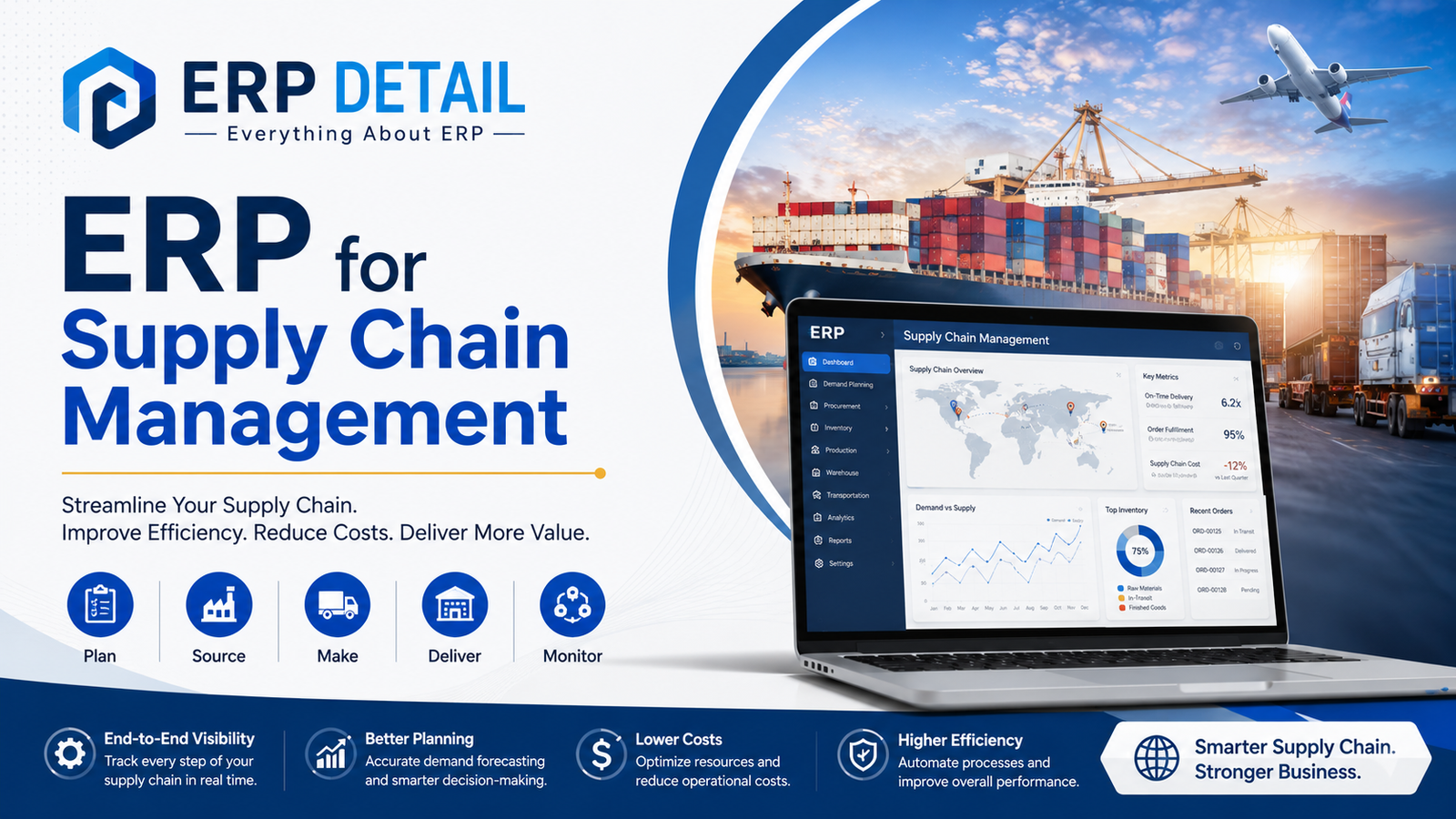
    ERP for Supply Chain Management: A Complete Guide

    Discover how ERP for supply chain management streamlines operations, reduces costs, and improves visibility across your entire supply network. A practical expert guide.

    Introduction ERP for Supply Chain Management

    If you’ve ever watched a shipment vanish between a warehouse in Karachi and a retail shelf in Lahore or spent hours reconciling purchase orders across three different spreadsheets, you already understand the pain that ERP for supply chain management is designed to solve. ERP for Supply Chain Management

    Supply chains are not simple. Even a mid-sized manufacturing company deals with dozens of suppliers, multiple warehouses, fluctuating demand, and customers who expect accurate delivery windows. Managing all of that with disconnected tools is like trying to conduct an orchestra where every musician is reading a different score.

    Enterprise Resource Planning (ERP) software ties those instruments together. It creates a single, unified system where procurement, inventory, logistics, production, and finance all speak the same language in real time.

    This guide walks you through everything you need to know about what ERP for supply chain actually does, how it works, its key features, genuine benefits, and the limitations you should consider before investing. ERP for Supply Chain Management

    What is ERP for Supply Chain Management?

    ERP (Enterprise Resource Planning) is a category of business software that integrates core processes including finance, HR, manufacturing, procurement, and supply chain into one connected platform.

    When applied specifically to supply chain management, ERP acts as the central nervous system of your operations. It connects raw material sourcing, production planning, warehouse operations, order fulfillment, and customer delivery.

    Instead of your procurement team working in one system, your warehouse in another, and your finance team in a spreadsheet, an ERP brings them all under one roof. Data flows automatically between departments, decisions are made using accurate information, and errors caused by manual handoffs are dramatically reduced. ERP for Supply Chain Management

    Popular ERP platforms used for supply chain management include SAP S/4HANA, Oracle Fusion Cloud SCM, Microsoft Dynamics 365, Infor CloudSuite, and NetSuite. Each has strengths suited to different industries and company sizes, but the core principle remains the same.

    How Does ERP for Supply Chain Management Work?

    At its core, an ERP system uses a shared database. Every department including purchasing, inventory, production, sales, and accounting writes to and reads from the same data pool. This eliminates the version control chaos that reduces efficiency in siloed businesses.

    A customer places an order, the sales module captures it and checks inventory levels automatically. If stock is sufficient, the warehouse is notified to prepare the shipment. If stock is unavailable, the system triggers a procurement request.

    The purchasing module sends a purchase order to the approved supplier based on preset lead times and pricing agreements. When goods arrive, the warehouse team logs the receipt, inventory counts update immediately, and the finance module prepares to match the supplier invoice.

    For manufacturers, the system schedules production runs based on demand forecasts and available materials. The logistics module coordinates shipping, generates documents, and updates customers with tracking information. Every purchasing transaction, inventory adjustment, and freight cost is automatically recorded in the general ledger. ERP for Supply Chain Management

    The entire supply chain operates within one integrated system with complete visibility at every stage.

    Key Features of ERP for Supply Chain Management

    Demand planning and forecasting help businesses anticipate future demand by using historical sales data, seasonal trends, and advanced analytics. This reduces stock shortages and excess inventory.

    Inventory management provides real-time tracking across warehouses, stores, and goods in transit. Features include multi-location tracking, serial number traceability, automated reorder points, and cycle counting.

    Procurement and supplier management cover the complete purchase-to-pay cycle, including purchase requests, approvals, purchase orders, delivery tracking, invoice processing, and supplier performance evaluation. ERP for Supply Chain Management

    Warehouse management supports receiving, storage, picking, packing, and shipping operations through integrated warehouse systems and technologies such as barcode scanning and RFID.

    Transportation and logistics management optimize routes, carrier selection, freight costs, and shipment tracking, delivering significant cost savings for businesses with complex distribution networks.

    Production planning through MRP and MPS calculates material requirements, delivery schedules, and factory resource allocation to minimize downtime and production bottlenecks.

    Financial integration ensures every purchase, shipment, and inventory adjustment automatically generates accounting records, reducing manual journal entries and improving financial accuracy.

    Reporting and analytics provide dashboards, KPI monitoring, predictive analytics, and supply chain risk analysis to support informed decision-making. ERP for Supply Chain Management

    Benefits of ERP for Supply Chain Management

    End-to-end visibility allows businesses to monitor every order, shipment, and inventory item throughout the supply chain, making it easier to respond quickly to customer inquiries and supplier delays.

    ERP reduces operational costs by eliminating duplicate work, minimizing manual data entry, improving demand forecasting, reducing excess inventory, and strengthening procurement processes.

    Automated workflows speed up order fulfillment by moving transactions through the system without unnecessary delays or manual intervention.

    Supplier relationships improve because businesses can share real-time forecasts, enabling suppliers to plan production more efficiently while reducing lead times and improving service quality.

    Regulatory compliance and product traceability become much easier through lot and serial number tracking, especially in industries such as food, pharmaceuticals, and electronics.

    A well-implemented ERP system also provides scalability, allowing businesses to add new warehouses, products, and markets while maintaining operational efficiency. ERP for Supply Chain Management

    Challenges and Limitations ERP for Supply Chain Management

    ERP systems are powerful but not perfect. Large implementations require significant data migration, process redesign, change management, and employee training.

    Enterprise ERP solutions often involve substantial licensing, implementation, and support costs, making them a major investment.

    Heavy customization increases long-term maintenance costs and complicates future software upgrades.

    Poor employee adoption caused by inadequate training or resistance to change can significantly reduce ERP effectiveness.

    ERP performance also depends heavily on data quality. Incorrect inventory records or inconsistent master data can create inaccurate results throughout the organization, making data cleansing before implementation essential.ERP for Supply Chain Management

    Best Practices and Tips ERP for Supply Chain Management

    Begin by documenting existing supply chain processes and identifying operational bottlenecks before selecting ERP software.

    Involve warehouse staff, procurement specialists, and end users early in the project to improve adoption and ensure practical requirements are addressed.

    Prioritize data quality by cleaning and standardizing information before migration.

    Avoid excessive customization and adopt standard ERP processes whenever possible to simplify future upgrades.

    Invest adequately in employee training and change management to maximize user adoption. ERP for Supply Chain Management

    Consider implementing ERP modules in phases rather than launching everything simultaneously to reduce project risk.

    Establish clear KPIs such as inventory turnover, order fulfillment cycle time, supplier performance, and carrying cost reduction to measure implementation success. ERP for Supply Chain Management

    Real-World Use Cases

    A mid-sized automotive parts manufacturer managed procurement across 120 suppliers using emails, spreadsheets, and outdated software. After implementing SAP S/4HANA with integrated procurement and production planning, the company achieved real-time supplier visibility and reduced production stoppages by 60 percent during the first year.

    A fast-growing e-commerce retailer struggled with inventory inaccuracies that caused overselling and canceled orders. By implementing NetSuite ERP with warehouse management and barcode scanning, inventory accuracy improved from approximately 82 percent to over 99 percent within six months.

    A food manufacturer required complete lot-level traceability to meet regulatory requirements. After deploying an ERP system with integrated lot tracking, traceability audits that previously took several days were completed in less than two hours, enabling rapid product recall management.

    FAQ’s

    What is the difference between ERP and SCM software?

    ERP is a comprehensive business management platform that includes finance, HR, procurement, manufacturing, and supply chain functions. SCM software focuses specifically on supply chain operations, although many ERP systems include advanced SCM capabilities.

    How long does ERP implementation take?

    Implementation timelines depend on business size and complexity. Small organizations may complete implementation within three to six months, while larger enterprises may require one to four years.

    Is cloud ERP better than on-premise ERP?

    Cloud ERP generally offers faster deployment, lower upfront costs, automatic updates, and greater scalability. On-premise ERP remains suitable for organizations with specialized security or regulatory requirements.

    Can small businesses benefit from ERP?

    Yes. Small businesses can significantly improve procurement, inventory management, and order fulfillment by implementing ERP solutions designed for small and medium-sized organizations.

    What ROI can companies expect?

    Organizations commonly achieve lower inventory carrying costs, improved order fulfillment, reduced procurement expenses, and greater operational efficiency, with returns typically realized within eighteen months to three years. ERP for Supply Chain Management

    How does ERP handle supply chain disruptions?

    Modern ERP systems identify potential risks using supplier performance data, inventory levels, demand forecasts, and lead-time analysis, allowing businesses to respond more quickly to disruptions.

    Why do ERP supply chain projects fail?

    The most common causes are poor change management, inadequate training, employee resistance, and poor data quality rather than failures of the software itself.

    Conclusion

    ERP for supply chain management is increasingly becoming a necessity rather than a luxury for businesses that rely on efficient procurement, inventory management, manufacturing, and fulfillment.

    Integrated visibility reduces unexpected disruptions while automated workflows eliminate manual tasks and improve operational accuracy. Better data supports better decisions across purchasing, inventory control, production planning, and customer service.

    Successful ERP implementation requires strong organizational commitment, high-quality data, effective training, and continuous process improvement. Companies that treat ERP as a long-term business transformation initiative achieve the greatest value.

    When implemented correctly, ERP for supply chain management not only improves efficiency but also creates a more resilient, responsive, and scalable business prepared for future growth.

  • Best ERP Software for Small Businesses in 2026

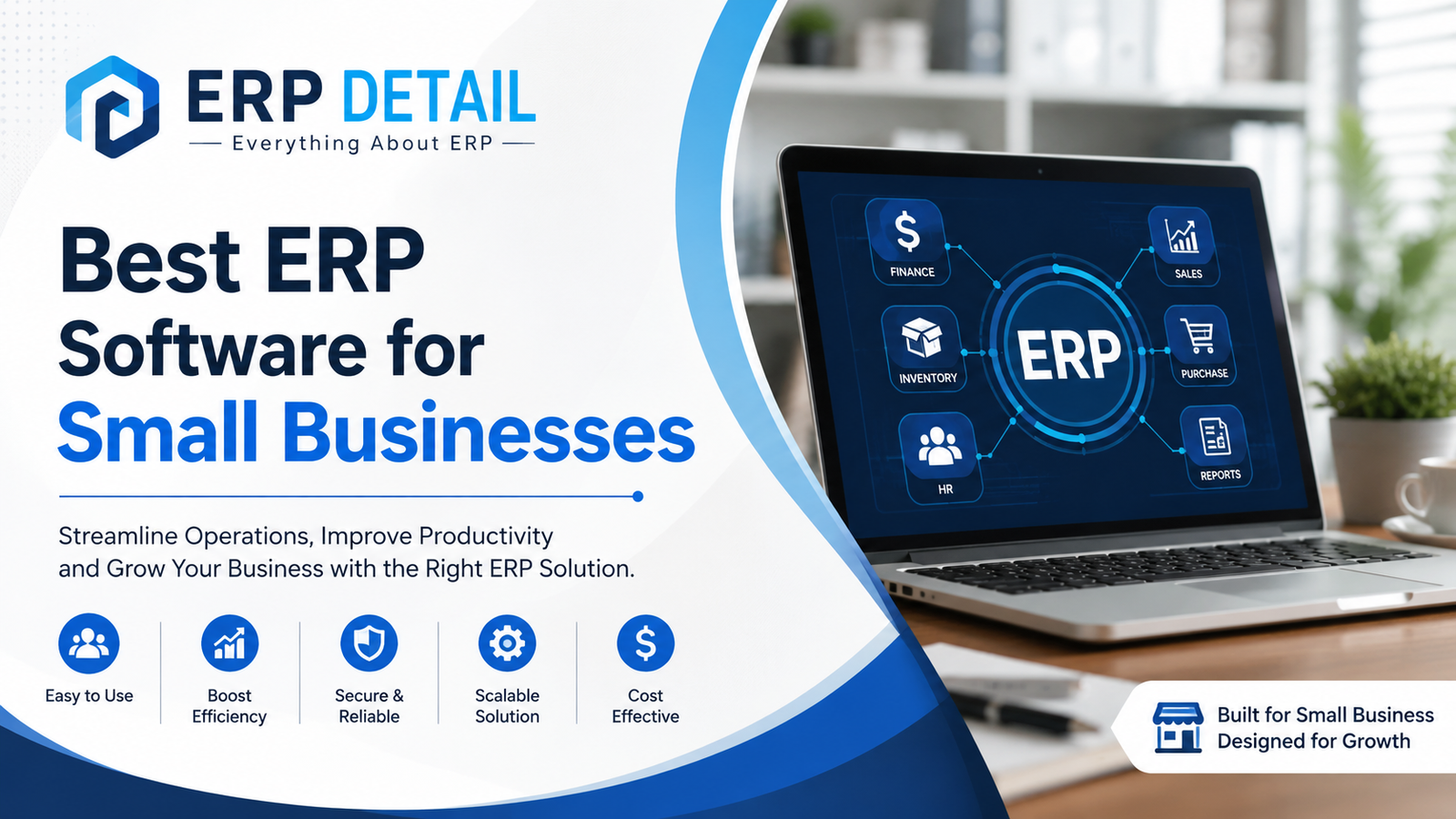
    Best ERP Software for Small Businesses in 2026

    Meta Description: Discover the best ERP software for small businesses in 2026. Compare top tools, key features, real costs, and expert tips to pick the right system for your needs.

    Introduction

    Running a small business means wearing a lot of hats. One day you’re managing inventory, the next you’re chasing invoices, and somewhere in between you’re trying to figure out whether last month was actually profitable. When your business data lives in five different spreadsheets and your team is sharing files over email, things start falling through the cracks. Best ERP Software for Small Businesses in 2026

    That’s where ERP software comes in.

    Enterprise Resource Planning (ERP) systems were once reserved for large corporations with big IT budgets. Today, that’s no longer true. Modern ERP tools are built with small businesses in mind — they’re affordable, easier to use, and packed with features that actually matter for growing teams.

    This guide covers everything you need to know about ERP software for small businesses: what it is, how it works, which platforms stand out, and how to choose the right one without overcomplicating things or breaking the bank.

    What Is ERP Software for Small Businesses?

    ERP stands for Enterprise Resource Planning. At its core, it’s a single software platform that brings together the key functions of your business — accounting, inventory, sales, purchasing, human resources, and more — into one connected system.

    Instead of using separate tools for each department that don’t talk to each other, an ERP gives everyone access to the same data in real time. When a sale is made, inventory updates automatically. When a purchase order is created, it flows into your accounts payable. Everything connects. Best ERP Software for Small Businesses in 2026

    For small businesses specifically, ERP software tends to be lighter and more affordable than the enterprise-grade systems used by large companies. You get the core features you need without the complexity or six-figure implementation costs. Best ERP Software for Small Businesses in 2026

    Think of it as the central nervous system of your business. When it’s healthy, every part of your operation moves in sync.

    How Does ERP Software Work?

    An ERP system works by storing all your business data in a shared database that different modules draw from and write to. Each module handles a specific function — finance, sales, inventory, HR — but they all pull from the same pool of information.

    Here’s a simple real-world example:

    A customer places an order on your online store. Your ERP automatically checks inventory levels, reserves the stock, generates a sales order, triggers a shipment, sends an invoice, and records the transaction in your accounting ledger all without anyone switching between apps or re-entering data.

    Most modern ERP systems for small businesses are cloud-based, meaning they run in your browser or on a mobile app. You don’t need dedicated servers or an IT team. You pay a monthly subscription and access everything from anywhere. Best ERP Software for Small Businesses in 2026

    The main components typically include: Best ERP Software for Small Businesses in 2026

    • Financial management – general ledger, accounts payable/receivable, financial reporting
    • Inventory and supply chain – stock tracking, purchase orders, supplier management
    • Sales and CRM – customer records, quotes, order management
    • HR and payroll – employee records, time tracking, payroll processing
    • Reporting and dashboardsreal-time data visualization across all departments

    Key Features to Look for in ERP Software

    Not all ERP systems are created equal. When evaluating options for a small business, here are the features that genuinely matter:

    1. Financial Management and Accounting

    The accounting module is often the heart of any ERP. Look for multi-currency support, automated bank reconciliation, tax compliance tools, and clear financial dashboards. If the numbers aren’t accurate and accessible, the rest of the system won’t matter much.

    2. Inventory Management

    For product-based businesses, inventory control is critical. Good ERP software tracks stock levels in real time, manages reorder points, handles multiple warehouses, and alerts you before you run out of fast-moving items. Best ERP Software for Small Businesses in 2026

    3. Sales Order Management

    From quote to invoice, this module tracks every step of your sales process. It should integrate with your CRM so customer history and communication are visible alongside every order.

    4. Purchasing and Procurement

    Automate purchase orders, track supplier lead times, and manage vendor relationships. When purchasing is integrated with inventory, you avoid both overstocking and stockouts.

    5. Reporting and Business Intelligence

    The best ERP systems don’t just store data — they make it useful. Look for customizable reports, real-time dashboards, and the ability to drill down into specific metrics without needing a data analyst.

    6. Integration Capabilities

    Your ERP shouldn’t exist in a vacuum. It should connect with tools you already use — your eCommerce platform, payment processor, shipping tools, or marketing software. API access and pre-built integrations are a big plus.

    7. Scalability

    You’re a small business today, but you won’t always be. Choose a system that grows with you so you’re not switching platforms again in two years.

    8. Ease of Use

    A complex system that your team won’t actually use is worse than no system at all. Clean interfaces, good onboarding resources, and accessible customer support all matter.

    Best ERP Software for Small Businesses in 2026

    Here’s a look at the platforms that consistently earn strong marks from small business users: Best ERP Software for Small Businesses in 2026

    1. NetSuite by Oracle

    NetSuite is one of the most powerful cloud ERP platforms available and is surprisingly accessible for growing small businesses. It handles financials, inventory, CRM, and eCommerce in one place. It’s on the pricier side but scales well as you grow. Best for businesses that are growing quickly and need enterprise-grade features without the enterprise complexity.

    2. SAP Business One

    SAP Business One is SAP’s product specifically designed for small and mid-sized businesses. It covers finance, sales, purchasing, inventory, and basic manufacturing. It’s more suited to product-based businesses and comes with a strong partner network for implementation support. Best ERP Software for Small Businesses in 2026

    3. Odoo

    Odoo is an open-source ERP that offers an impressive range of modules — from accounting and inventory to project management and eCommerce. It has a free community version and affordable paid plans, making it one of the most flexible options for budget-conscious small businesses. The learning curve can be steep, but the customization potential is exceptional. Best ERP Software for Small Businesses in 2026

    4. QuickBooks Enterprise

    For many small businesses, QuickBooks is the starting point for accounting. QuickBooks Enterprise adds inventory management, advanced reporting, and industry-specific features to the familiar interface. If your team already knows QuickBooks, this is a natural step up.

    5. Zoho ERP (Zoho One)

    Zoho offers a suite of integrated business apps under the Zoho One umbrella — covering CRM, inventory, finance, HR, and more. It’s one of the most affordable options available and works well for service-based businesses and small product companies. The interface is clean and user-friendly. Best ERP Software for Small Businesses in 2026

    6. Microsoft Dynamics 365 Business Central

    Business Central is Microsoft’s ERP for small and mid-sized businesses. It integrates tightly with Microsoft 365 tools like Outlook, Excel, and Teams — which is a major advantage if your team already lives in the Microsoft ecosystem. It’s particularly strong for financials and supply chain management. Best ERP Software for Small Businesses in 2026

    7. ERPNext

    ERPNext is a fully open-source ERP with a surprisingly complete feature set. You can self-host it for minimal cost or use the cloud-hosted version. It covers accounting, inventory, manufacturing, HR, and CRM. It’s ideal for technically capable teams that want maximum flexibility without licensing fees.

    Benefits of ERP Software for Small Businesses

    Eliminates Data Silos

    When your accounting, sales, and inventory teams share the same system, you stop wasting time reconciling conflicting spreadsheets. Everyone sees the same numbers. Best ERP Software for Small Businesses in 2026

    Saves Time on Manual Work

    Automated workflows handle routine tasks — generating invoices, sending payment reminders, updating stock levels, producing reports — freeing your team to focus on work that actually drives growth. Best ERP Software for Small Businesses in 2026

    Better Decision-Making

    Real-time dashboards give you a live view of your business performance. When you can see cash flow, sales trends, and inventory levels at a glance, you make smarter decisions faster. Best ERP Software for Small Businesses in 2026

    Reduces Costly Errors

    Manual data entry across disconnected systems leads to mistakes. An ERP removes the need to re-enter data between systems, which cuts errors significantly. Best ERP Software for Small Businesses in 2026

    Improves Customer Experience

    When your sales team can see inventory levels and order history in real time, they give customers accurate information. Fewer delivery surprises, faster quotes, better service overall. Best ERP Software for Small Businesses in 2026

    Supports Business Growth

    A well-implemented ERP grows with your business. Adding new users, products, locations, or sales channels becomes manageable rather than chaotic. Best ERP Software for Small Businesses in 2026

    Challenges and Limitations

    ERP software isn’t magic, and it’s important to go in with realistic expectations. Best ERP Software for Small Businesses in 2026

    Implementation Takes Time

    Even light ERP systems take time to set up properly. Data migration, staff training, and workflow configuration aren’t instant. Budget for a few weeks at minimum, and more for complex setups.

    Cost Can Be Significant

    Beyond subscription fees, factor in implementation support, training time, and potential customization costs. For very small businesses, the investment may not immediately feel justified.

    Change Management Is Hard

    Getting your team to adopt new software takes real effort. If people revert to old spreadsheets out of habit, you won’t see the benefits. Leadership buy-in and proper training are essential. Best ERP Software for Small Businesses in 2026

    Over-Complexity for Early-Stage Businesses

    If you’re a solo founder or a team of two, a full ERP system may be overkill. Simpler tools may serve you better until you hit the complexity threshold where an ERP makes sense (typically around 5–15+ employees, or when managing significant inventory). Best ERP Software for Small Businesses in 2026

    Integration Challenges

    While modern ERPs offer many integrations, connecting with niche or custom-built tools can still require development work.

    Best Practices and Tips for Choosing the Right ERP

    Start with your biggest pain point. Don’t try to fix everything at once. Identify the single area causing the most damage — maybe it’s inventory, maybe it’s invoicing — and prioritize an ERP that excels there. Best ERP Software for Small Businesses in 2026

    Involve your team early. The people who’ll use the system daily should have input on the decision. Their practical concerns will surface problems you might miss from the top down.

    Take advantage of free trials. Most cloud ERP vendors offer 14–30 day free trials. Use them seriously — enter real data, test your most common workflows, and see how the system handles your actual needs.

    Don’t over-customize on day one. Resist the urge to tailor everything before you’ve used the base system. Get running with defaults, then adjust based on real experience.

    Plan your data migration carefully. Importing years of customer, inventory, and financial data is one of the trickiest parts of any ERP rollout. Audit your data before migration and clean it up first.

    Budget for training. Cutting corners on training is one of the most common mistakes in ERP implementation. Even a great system fails if people don’t know how to use it properly.

    Review total cost of ownership. Monthly subscription fees are just one component. Factor in setup, training, potential customization, and the cost of migrating away if things don’t work out.

    Real-World Use Cases

    A Small Manufacturing Business

    A custom furniture company with 12 employees was managing production schedules in a whiteboard and invoicing in Excel. After implementing Odoo, they connected their materials purchasing, production tracking, and customer invoicing in one system. Lead time accuracy improved, material waste dropped, and the owner stopped spending Sunday evenings reconciling spreadsheets. Best ERP Software for Small Businesses in 2026

    An eCommerce Retailer

    A skincare brand selling through their own website and two marketplaces had constant inventory sync problems — overselling items that were actually out of stock. After implementing NetSuite with their Shopify integration, inventory updated in real time across all channels. Customer complaints about out-of-stock orders dropped by over 80% in the first quarter.

    A Service-Based Agency

    A small marketing agency with 18 employees used Zoho One to unify their project management, CRM, and invoicing. Before the switch, tracking billable hours across projects was painful and invoice creation took a full day each month. With everything in one platform, invoicing became a 20-minute task and revenue leakage from unbilled hours dropped noticeably.

    Conclusion

    Choosing the best ERP software for your small business isn’t about finding the most powerful or the most feature-rich system. It’s about finding the one that fits your business today, handles your most pressing problems, and grows with you over time.

    Start by understanding where your current workflow breaks down. Then look at platforms that solve that problem first, with the room to expand into other areas as your needs evolve. Leverage free trials seriously. Involve your team. Budget realistically for setup and training.

    The right ERP will pay for itself many times over — not through dramatic transformation overnight, but through hundreds of small improvements in accuracy, speed, and decision-making that compound over months and years. Best ERP Software for Small Businesses in 2026

    Your business deserves a system that works as hard as you do.

    FAQ’s

    What if I outgrow my ERP?

    Most platforms designed for small businesses can scale to mid-market size. If you eventually outgrow a lighter tool like Zoho, migration paths exist to platforms like NetSuite or SAP. Choosing a system with export-friendly data formats from the start makes future migrations far less painful.

    When should a small business move to an ERP?

    A few clear signals: you’re managing inventory manually across multiple channels, your team is using more than 3–4 disconnected tools, you’re spending significant time reconciling data between systems, or you’re scaling quickly and your current setup can’t keep up. If you recognize yourself in two or more of those, it’s likely time.

    What’s the difference between ERP and accounting software?

    Accounting software like QuickBooks or Xero handles financial transactions — invoices, expenses, payroll, taxes. An ERP includes those capabilities plus inventory, purchasing, sales, HR, and more. Think of accounting software as one module within a full ERP system.

    Can I use ERP software if I’m not tech-savvy?

    Yes. Modern cloud ERP systems are designed for business users, not IT professionals. Platforms like Zoho, QuickBooks Enterprise, and Business Central are known for being accessible to non-technical users. That said, having one tech-comfortable person on your team to manage the setup helps.

    Is ERP software only for product-based businesses?

    Not at all. Service-based businesses benefit significantly from ERP systems too, particularly for project management, time tracking, invoicing, HR, and financial reporting. Many service-focused small businesses use platforms like Zoho One or Microsoft Business Central with excellent results.